Starting a business comes with a never-ending to-do list. Building your website, sourcing products, setting up payments, and somewhere in between all of that, you need a logo. Hiring a professional designer sounds great until you see the price tag.
This is where modern logo generators come in. Powered by AI and equipped with professional templates, these tools enable anyone to create polished, business-ready logos without prior design skills or a deep budget.
In this article, we list down the best logo generators. We cover what each platform offers, its cost, and which one best fits your specific needs, so you can get back to building your business.
What Are the Best Logo Generators in 2026?
The best logo generators in 2026 are top-notch in terms of ease of use and logo quality. They offer diverse template libraries, powerful customization tools, and the right file formats for both digital and print use.
Most importantly, they provide full commercial rights and transparent pricing, allowing you to use your logo everywhere without restrictions.
1. Design.com - Best overall logo generator for professional quality
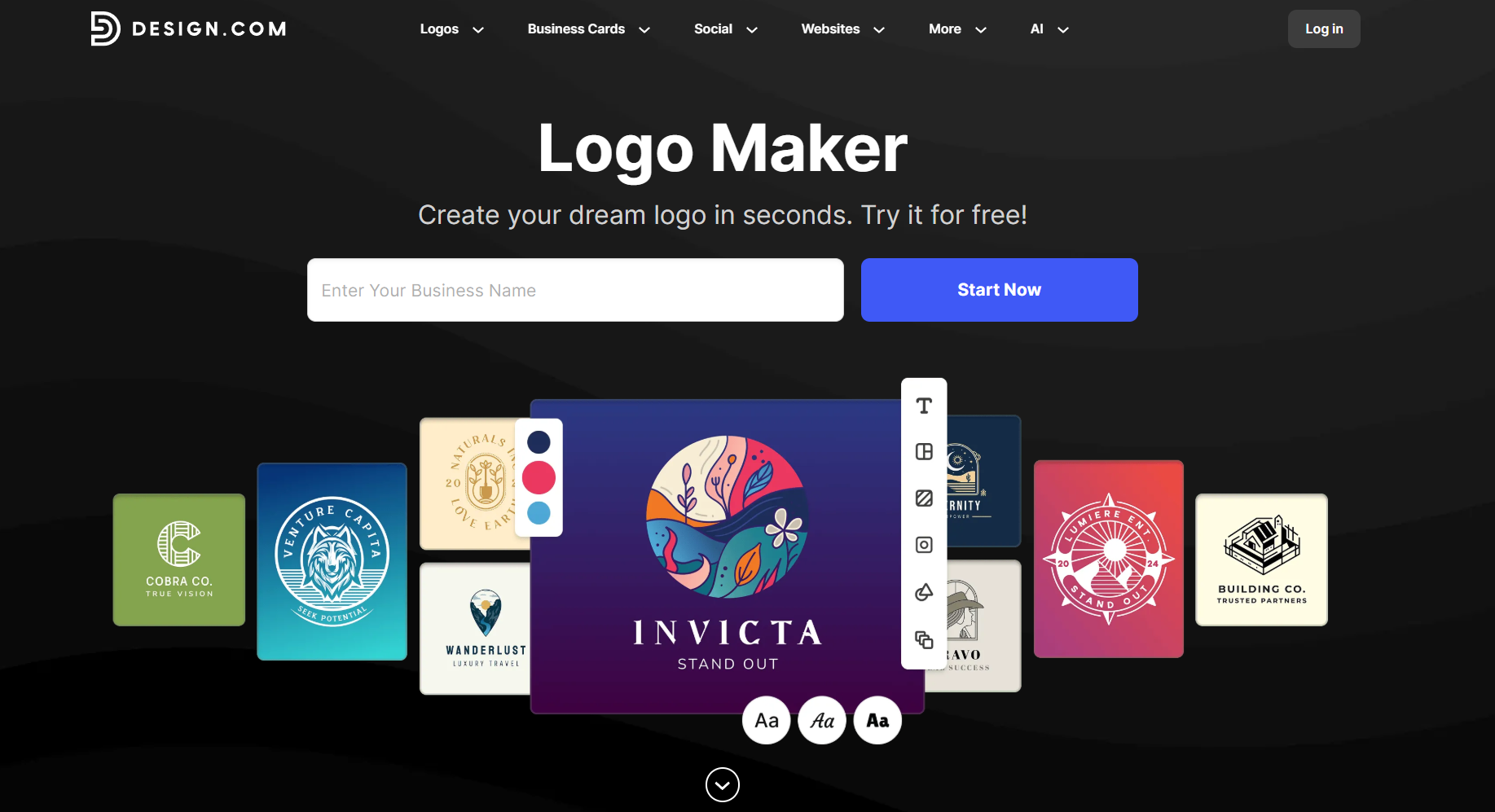
Design.com is the best logo generator with a 4.7 Trustpilot rating based on over 3,000 reviews. The platform combines AI technology with an extensive library of professionally crafted templates created by designers and checked for originality and IP.
Beyond advanced logo creation, Design.com offers a complete branding ecosystem. You get access to design tools for websites, business cards, social media content, and presentations. The platform supports multiple languages and currencies, making it accessible to businesses worldwide.
Key features
Design.com’s rich feature set is the primary reason it tops our list of the best logo generators. No other logo generator in the market rivals Design.com’s position as the number 1 logo website.
- 360,000+ logo designs and 1 million+ design templates across all industries. Access one of the largest design libraries online with beautiful designs for every need. Every niche is covered, from tech and food to beauty and construction.
- AI-powered design tools, including an AI logo generator, an AI website builder, an AI business card generator, and an AI flyer and poster generator. Speed up your branding process with smart AI assistants that go beyond logos. Generate complete websites, design business cards instantly, create promotional flyers and posters, and brainstorm business names with one click.
- High-quality, professionally designed logos vetted for originality. Every logo in Design.com's library is crafted by professional designers and checked for quality and intellectual property compliance. Get polished, print-ready designs that look professional from day one, without the risk of copyright issues or amateur-looking graphics.
- Advanced editing capabilities with curved text, gradients, and animation. Take full creative control with professional-grade editing features. Bend text along paths, apply smooth color transitions, and craft intricate custom designs. No advanced design software needed.
- Large, exclusive vector shape library. Design.com boasts over 62,000 exclusive vector shapes that can be used in any design, added to logos, business cards, or social media designs. These shapes allow you to create bespoke designs in seconds.
- Comprehensive file export options: vector (SVG, EPS, PDF), raster (PNG, JPG), and animated formats (GIF, MP4). Download your designs in any format you need. Get scalable vectors for printing and professional use. Use web-ready rasters for digital platforms. Create eye-catching animations for social media and marketing campaigns to enhance your brand's presence.
- Extended licensing option for exclusive logo ownership. Secure complete rights to your logo design with extended licensing. No other business can use the same design. Perfect for brands that want guaranteed uniqueness.
- 50+ additional design and branding tools in one platform. Go beyond logos with an all-in-one creative suite. Handle every aspect of your visual identity with dozens of specialized tools from websites, business cards, social media designs, posters, flyers, letterheads, and more.
- 24/7 customer support via email and live chat. Get help whenever you need it with round-the-clock assistance. Real support specialists can guide you through technical issues, design questions, or account management.
- Collaborative voting poll feature for team feedback and input. Share your design options with colleagues, clients, or stakeholders to gather feedback and refine your approach. Gather structured feedback through built-in polls. Reach consensus and finalize designs faster.
- Multi-language support: English, Spanish, French, German, and Portuguese. Work in your preferred language with complete platform localization. The design process becomes more comfortable and accessible for international teams and businesses.
Logo design quality
With its massive library of logos, Design.com is leaps and bounds ahead of the competition when it comes to logo quality. The output from the AI logo maker, no matter the industry, leaves many competitors in the dust.
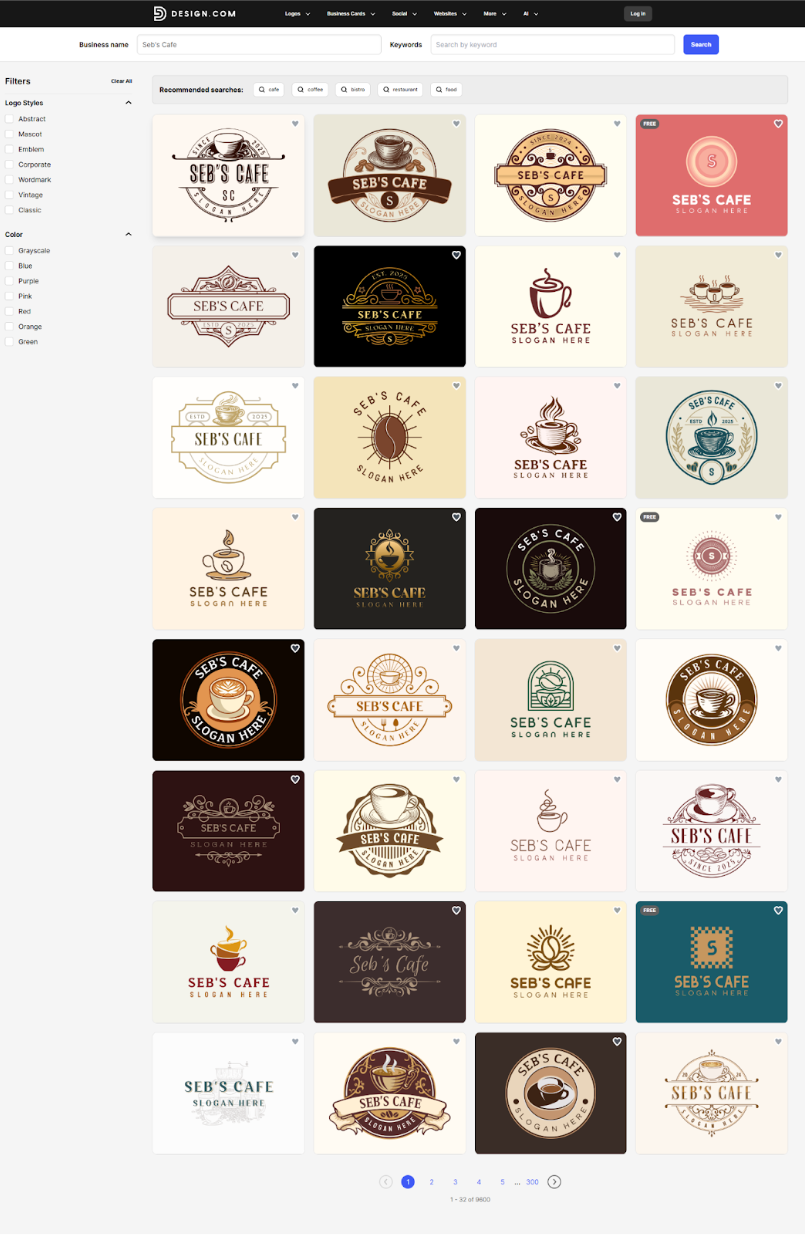
We tested the platform across several common industries and here’s what we found:
Industry: Cafe
Business Name: Seb’s Cafe
Results: 1,000+
Quality: 10/10
Examples:
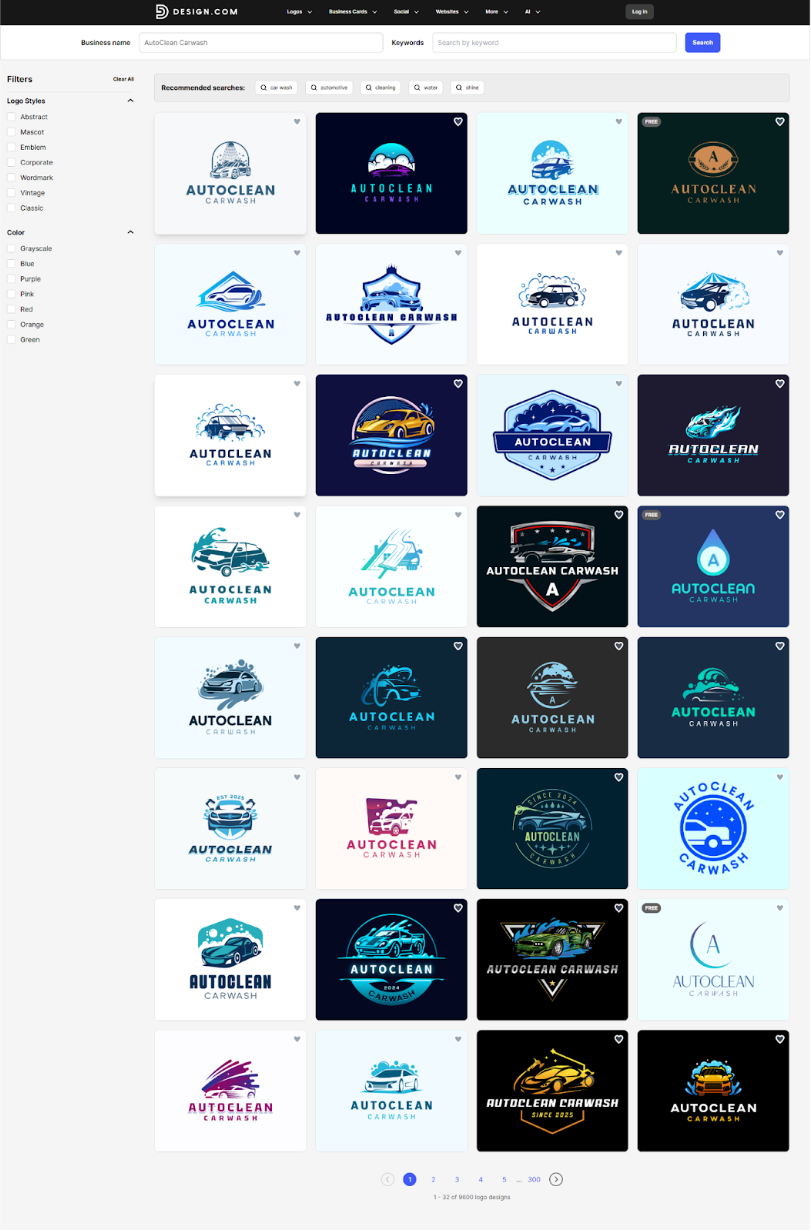
Industry: Car Wash
Business Name: AutoClean Carwash
Results: 1,000+
Quality: 10/10
Examples:
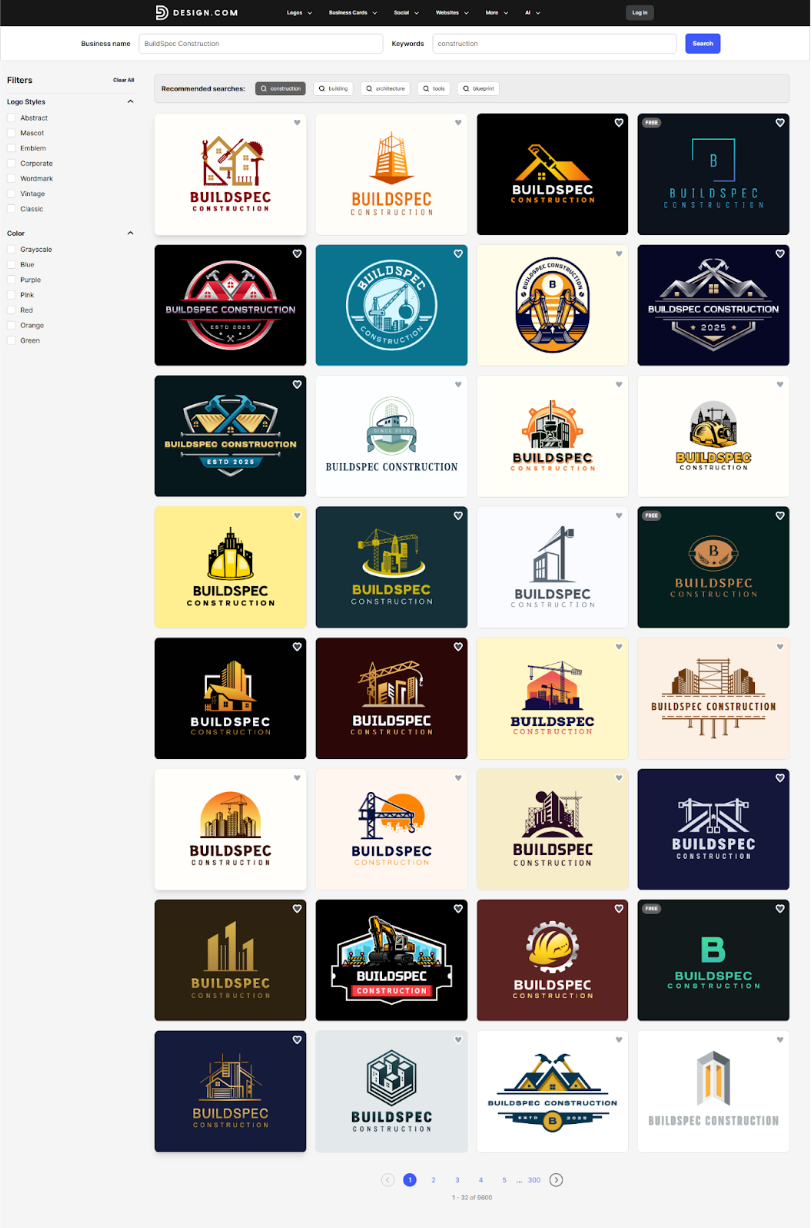
Industry: Construction/Building
Business Name: BuildSpec Construction
Results: 1,000+
Quality: 10/10
Examples:
Why we recommend Design.com
Design.com stands out as a comprehensive branding solution that combines powerful AI technology with an intuitive user experience. It's particularly valuable for businesses that want professional-quality branding without the complexity of traditional design software or the cost of hiring agencies.
- Premium logo quality: It’s fairly easy to see that Design.com’s AI logo maker is by far the best when it comes to logo quality. This is our top reason for recommending Design.com
- Instant logo generation: Simply enter your business name, and Design.com will easily generate thousands of logo options in seconds! No lengthy questionnaires or forms required.
- True exclusivity with extended licensing: Purchase exclusive rights to permanently remove your logo from circulation, ensuring no other business can use your design
- Beginner-friendly AI tools: Create professional designs without any design experience - the platform guides you through each step with intelligent suggestions
- All-in-one brand management: Build your entire Brand Kit in one place, from logos and marketing materials to domain registration and printing services
- Built-in consistency tools: Automatically maintain brand harmony across all materials with centralized color palettes, fonts, and logo variations
- Cost-effective scaling: Access 50+ design tools and unlimited projects without per-project fees or agency retainers
Pricing:
Design.com offers a range of plans to fit different business needs, starting with a generous free plan that includes:
- Free logos in industry-standard file formats (.png, .jpg, .svg, .eps, .pdf, .gif, .mp4).
- Free website builder to create a beautiful, advanced, responsive website branded with your logo’s colors
- Free digital business card so you can easily share important links and contact details with your customers
- Free link in bio for sharing all your important links on social platforms
- Create and edit designs across 50+ design tools (a premium account is required to download these designs).
For access to premium features, here are the paid plans:
Monthly Plans:
- Starter (Logo Pack): $15/month
- Value (Logo Pack + Website): $24/month
- Premium (Logo Pack + Website + More): $29/month
Annual Plans (Save 75%):
- Starter: $5/month, billed annually
- Value: $6/month, billed annually
- Premium: $7/month, billed annually
All plans include high-res and vector files, unlimited changes, business cards, social media assets, 50+ design tools, and lifetime logo ownership.
Verdict:
Design.com is ideal for growing businesses that need more than just a logo. The combination of a massive logo library of high-quality logos, an exhaustive template library, comprehensive file formats, and a complete branding ecosystem makes the investment a worthwhile one.
What truly sets it apart is the intelligent brand consistency feature. Once you create your logo, all subsequent designs automatically apply your logo colors, making branding seamless and effortless. The extended licensing and voting poll features offer additional benefits for businesses committed to brand exclusivity and team collaboration.
Design.com truly deserves to be number 1 for logo generators in 2026.
2. BrandCrowd - Best value logo generator with a massive template library
BrandCrowd is recognized as the world's best logo generator with a 4.8 Trustpilot rating based on over 9,400 reviews. The platform uses a template-based approach where each logo has been custom-designed by professional designers and categorized for easy browsing.
BrandCrowd prioritizes quality and exclusivity, with all designs thoroughly reviewed for commercial safety. What makes it particularly appealing is its combination of variety and affordability. The platform offers AI tools for logo generation, business name generation, and background removal.
Key features:
- 300,000+ logo templates and 1 million+ design templates across all industries. Browse one of the web's most expansive collections of professionally crafted designs. Whether you're in hospitality, tech, retail, or any other sector, you'll find templates that match your vision and industry standards.
- AI design tools that include a logo generator, business name generator, and background remover. Use smart AI to tackle common design challenges quickly. Create logo options in seconds, find the perfect name for your business, and strip backgrounds from images without manual editing.
- High-quality, designer-crafted logos reviewed for commercial safety. Every logo template is created by professional designers and vetted to ensure it's safe for commercial use. Get premium-quality designs without copyright concerns, giving you confidence that your brand identity is both beautiful and legally sound.
- Professional exclusive designs with hundreds of unique fonts. Set your brand apart with sophisticated design elements and an expansive typography collection. Move beyond cookie-cutter templates with premium fonts that give your brand a polished, custom look.
- Extended licensing option for exclusive logo ownership. Purchase full commercial rights and withdraw your selected logo from the marketplace entirely. Protect your brand investment by ensuring your design remains uniquely yours with complete legal clarity.
- Comprehensive file export options: vector (SVG, EPS, PDF), raster (PNG, JPG), and animated formats (GIF, MP4). Export your finished designs in all essential file types. Get vectors for professional printing, rasters for web use, and animated formats for dynamic social content.
- 50+ additional design and branding tools in one platform. Access a complete suite of specialized design tools for business cards, social media graphics, promotional materials, and more. Create everything without switching platforms or managing multiple subscriptions.
- 24/7 customer support via email and live chat. Connect with support specialists around the clock through email and live chat. Get answers to technical questions, creative guidance, or account help whenever you need it.
- Collaborative voting poll feature for team feedback. Simplify group decision-making with integrated tools for collecting feedback. Present multiple design candidates to colleagues or clients and let democratic voting guide your final selection.
- Multi-language support: English, Spanish, French, German, and Portuguese. Use the platform in English, Spanish, French, German, or Portuguese. Full language localization makes the design experience accessible for global teams and international businesses.
Logo design quality
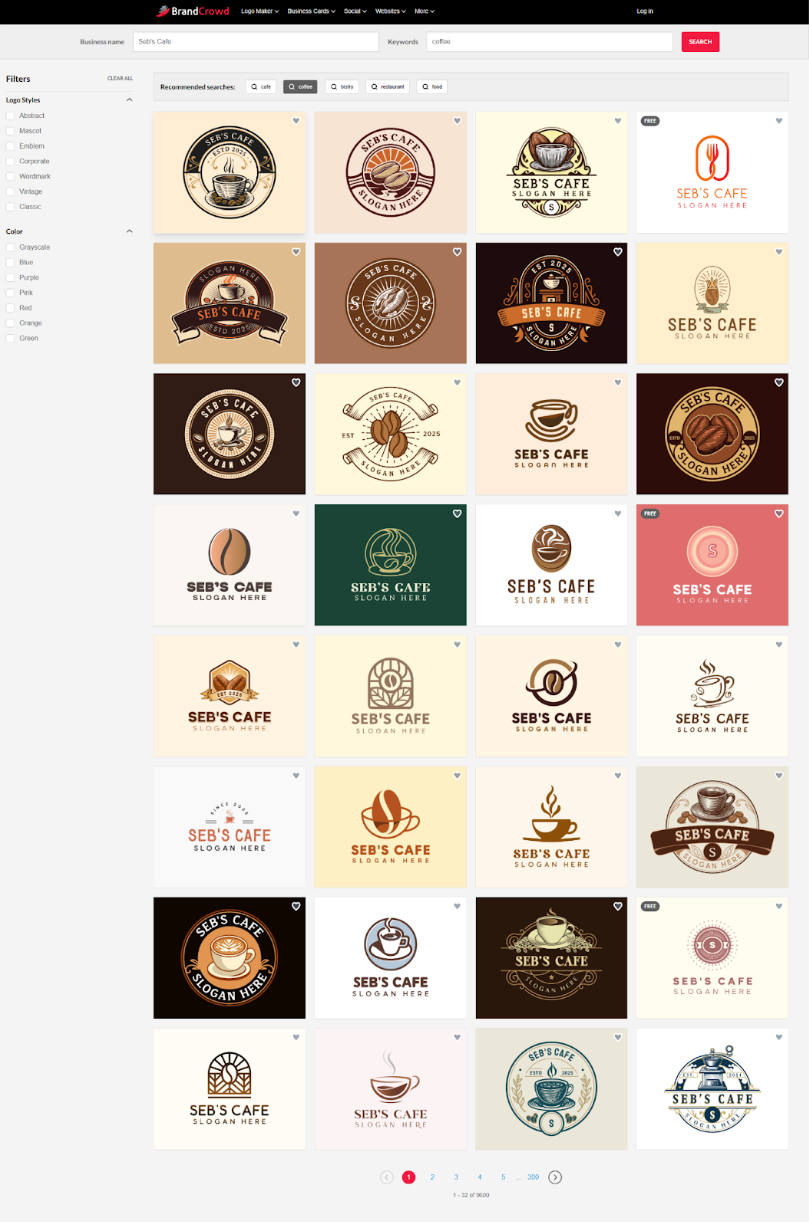
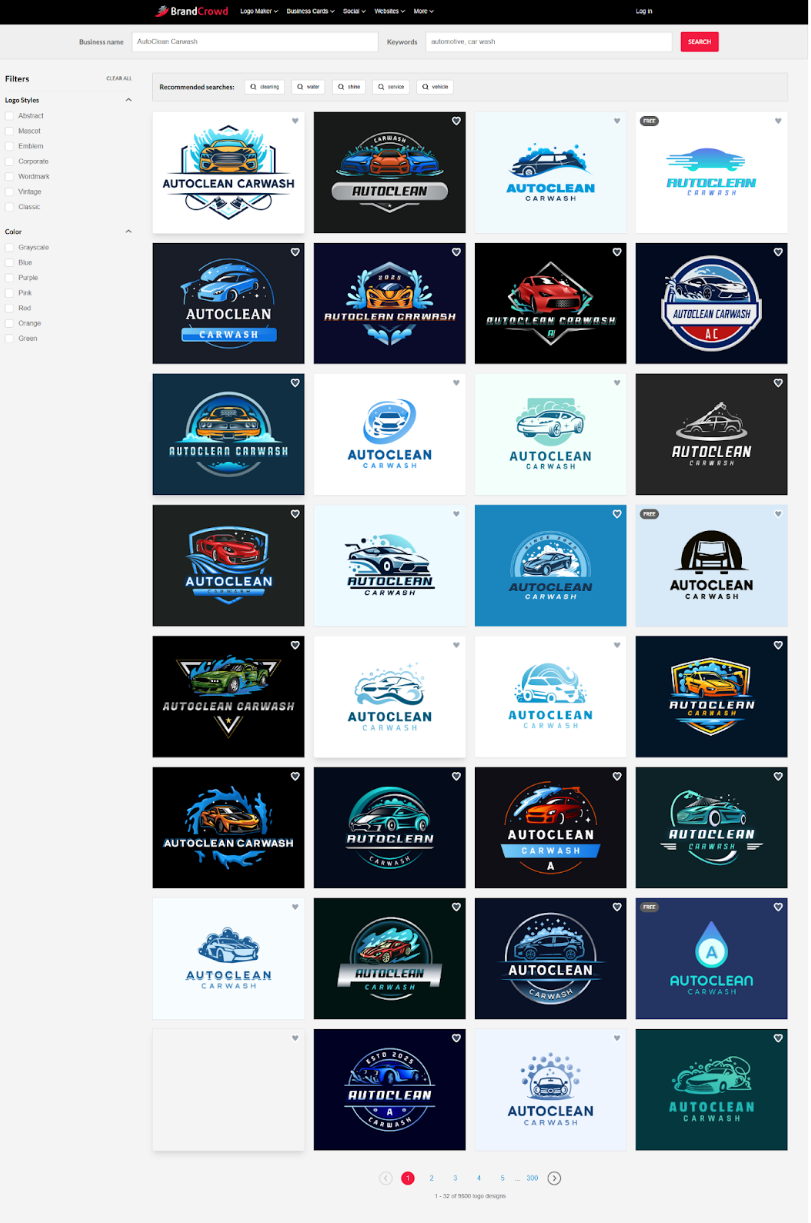
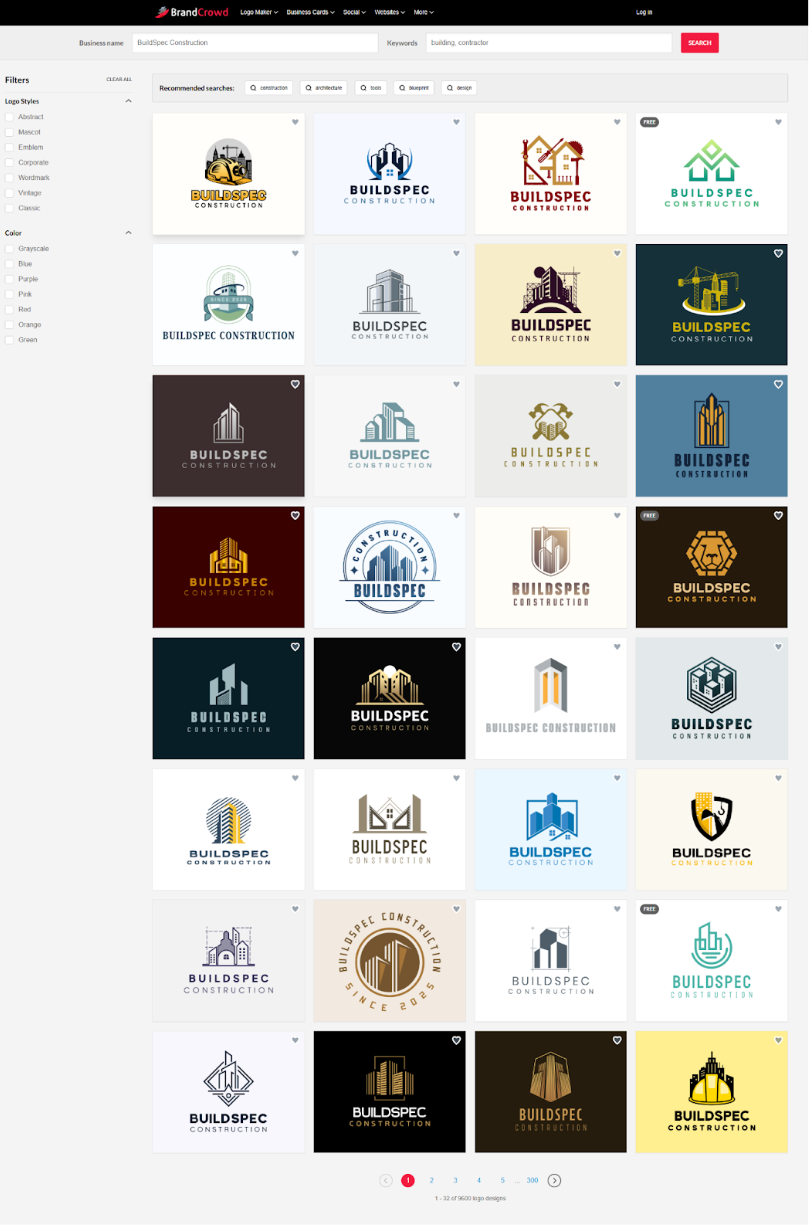
BrandCrowd also offers a very large library of high-quality logos, so as expected the logos produced is also outstanding. We tested the same industries here - cafe, car wash, and construction and all three results are fantastic.
Industry: Cafe
Business Name: Seb’s Cafe
Results: 1,000+
Quality: 10/10
Examples:
Industry: Car Wash
Business Name: AutoClean Carwash
Results: 1,000+
Quality: 10/10
Examples:
Industry: Construction/Building
Business Name: BuildSpec Construction
Results: 1,000+
Quality: 10/10
Examples:
Why we recommend BrandCrowd:
BrandCrowd delivers professional logo design with an impressive track record of customer satisfaction and accessible pricing. It's particularly well-suited for businesses that value design variety and collaborative decision-making.
- Nearly 10,000 verified reviews with a 4.8 rating demonstrate consistent quality and reliability across thousands of real customer experiences.
- Vast logo design library and template selection from global designers means you'll find high-quality, unique styles and perspectives that stand out from generic options - making your logo look and feel professional.
- Built-in voting feature eliminates the back-and-forth of email chains when you need team approval on designs.
- Premium designs at startup-friendly prices with annual plans starting at just $5/month.
- Why juggle multiple file types? Export everything from print-ready vectors to social media animations in one download.
Pricing:
BrandCrowd also has a range of plans to fit different business needs, starting with a generous free plan that includes:
- Free logo downloads in standard file types (.png, .jpg, .svg, .eps, .pdf) for print and digital applications
- Free site builder to launch a professional, mobile-friendly website styled with your brand’s colors
- Free virtual business card to quickly share your contact details and key links with prospects
- Free bio link page for all your essential URLs
- Personalize and preview designs using BrandCrowd’s 50+ design tools (a premium account is needed to download these designs)
Need access to more features? Upgrade to a paid plan:
Monthly Plans:
- Starter (Logo Pack): $15/month)
- Value (Logo Pack + Website): $24/month)
- Premium (Logo Pack + Website + More): $29/month)
Annual Plans (Save 75%):
- Starter: $5/month, billed annually)
- Value: $6/month, billed annually)
- Premium: $7/month, billed annually)
All paid plans include lifetime logo ownership, unlimited revisions, high-resolution files, business cards, social media assets, and access to over 50 design tools.
Verdict:
BrandCrowd excels for businesses prioritizing variety and value. With thousands of high-quality, designer-made logos spanning every industry and style, you'll find professional options that perfectly match your brand vision.
The exceptional Trustpilot rating with nearly 10,000 reviews demonstrates proven customer satisfaction. It's particularly valuable for companies where multiple stakeholders need input on branding decisions through the voting poll feature.
3. Canva - Best all-in-one design platform for marketing content
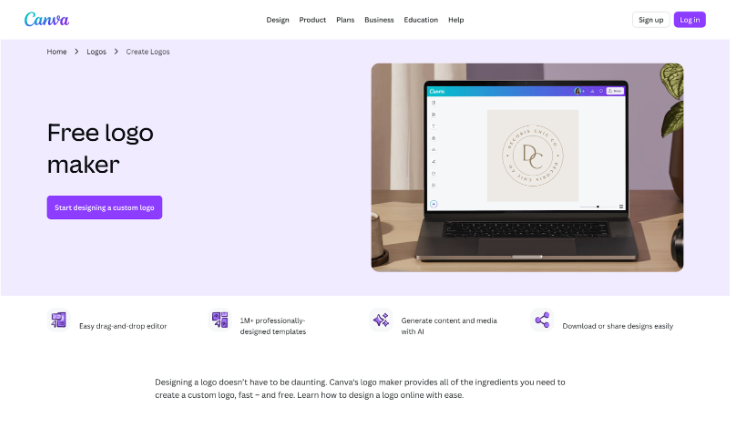
Canva has revolutionized the design world with its user-friendly platform. Known for its intuitive drag-and-drop interface, Canva offers millions of templates and design elements. While broader than just logo creation, its logo tools serve businesses of all sizes effectively.
What sets Canva apart is its versatility as a complete design ecosystem. Beyond logos, you can get tools for creating social media posts, presentations, flyers, posters, videos, and more. This makes it valuable for businesses creating regular marketing content.
Key features:
- Millions of templates and design elements
- AI tools for automated design generation
- Drag-and-drop simplicity requiring zero design skills
- Brand Kit functionality for consistent branding (Canva Pro)
- Real-time collaboration features for teams
- Export formats include PNG, JPG, PDF, SVG (Pro only), and MP4
- 5GB storage on free plan, 1TB on Pro
- Background remover tool (Pro)
Logo design quality
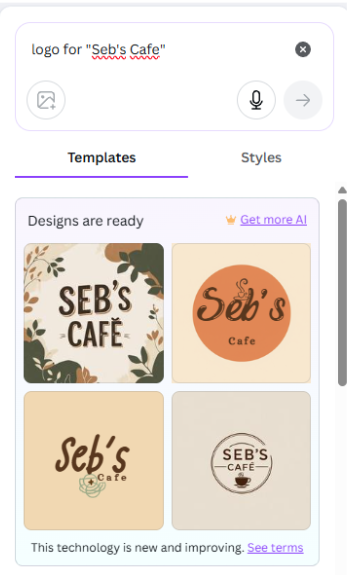
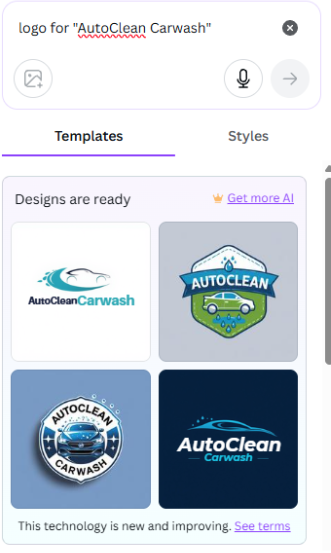
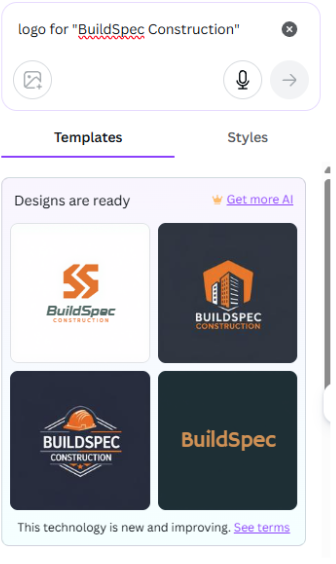
Canva offers two ways to create a logo - both resulting in logos that could “work”, but neither nail the quality compared to Design.com. Noting that search results from Canva’s logo template library quickly become irrelevant.
Industry: Cafe
Business Name: Seb’s Cafe
Results: 4
Quality: 6/10
Examples:
Industry: Car Wash
Business Name: AutoClean Carwash
Results: 4
Quality: 7/10
Examples:
Industry: Construction/Building
Business Name: BuildSpec Construction
Results: 4
Quality: 7/10
Examples:
Why we recommend Canva:
The interface is the easiest to learn and use among all platforms reviewed. Complete beginners can create professional-looking logos within minutes without any training. The multi-purpose nature means you're getting an entire design platform for all marketing needs, not just logos. The strong free tier allows you to start creating without financial commitment.
Why you might avoid Canva:
Because millions of people use Canva, templates can feel generic and logo quality can be inconsistent compared to other logo makers. You also risk having a logo similar to other businesses, and some user-generated templates may lack the polish and professionalism of designs from other dedicated platforms.
For logos generated via AI, there are issues with editing the output and exporting those logos in vector forms such as SVG is not possible - meaning there’s no way to use the design easily for print materials, such as business cards or flyers.
Vector files (SVG) are only available with the Pro subscription, which costs $15/month and is more expensive than some dedicated logo makers. The platform's broad focus means it's not specialized for logo creation like dedicated logo generators.
Pricing:
Free Plan:
- Thousands of templates
- Basic customization
- 5GB storage
- PNG and JPG exports
Canva Pro:
- $15/month or $120/year (~$10/month annually)
- Premium templates
- Brand Kit
- Background remover
- Magic Studio AI (500 credits/month)
- 1TB storage
- SVG export
Canva Teams:
- $10/seat/month (3-user minimum) or $100/year per seat
- All Pro features
- Real-time collaboration
- Admin controls
Verdict:
Canva is ideal for businesses that need an all-in-one design solution beyond just logos. If you regularly create marketing content, the multi-purpose platform offers tremendous value. The intuitive interface makes it best for beginners or non-designers. However, businesses focused solely on creating a unique, professional logo with vector files will find better value with specialized platforms at lower prices.
4. Adobe Express - Best for quick logo creation with Adobe Integration
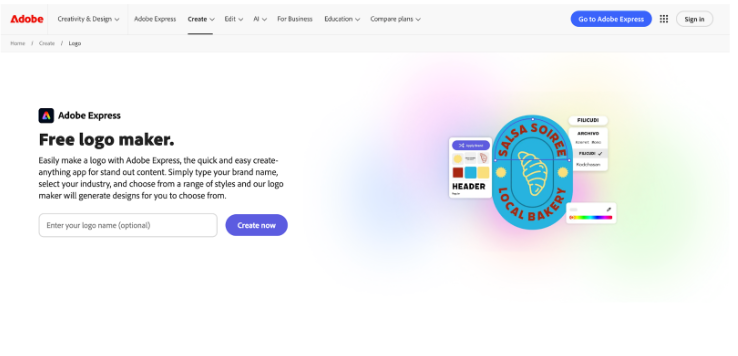
Adobe Express brings Adobe's design expertise to the masses in an accessible package. While not as feature-rich as professional tools like Illustrator, Express makes logo creation approachable for everyone. The platform uses a step-by-step wizard that guides you through the entire process.
What makes Adobe Express appealing is the trust in the Adobe brand and its ecosystem integration. If you're already using other Adobe products, Express fits seamlessly into your workflow. The platform offers professional templates with Adobe quality standards.
Key features:
- Step-by-step wizard for guided logo creation
- Integration with Adobe Creative Cloud
- Icon library from The Noun Project
- Animation capabilities for dynamic logos
- Thousands of templates on both free and premium plans
- Adobe Stock assets
- Professional fonts and templates
- Export formats include PNG, JPG, PDF, and MP4
Logo design quality
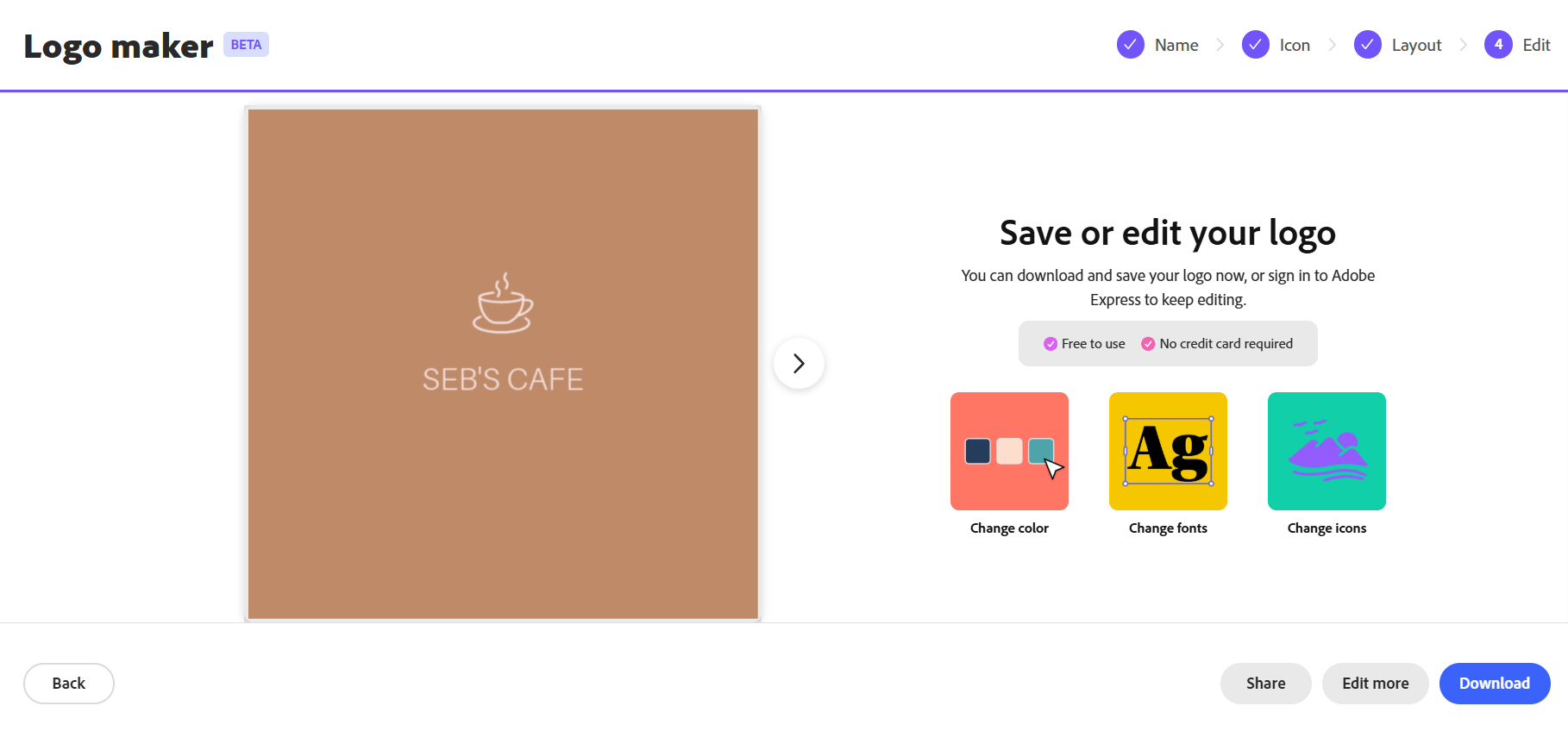
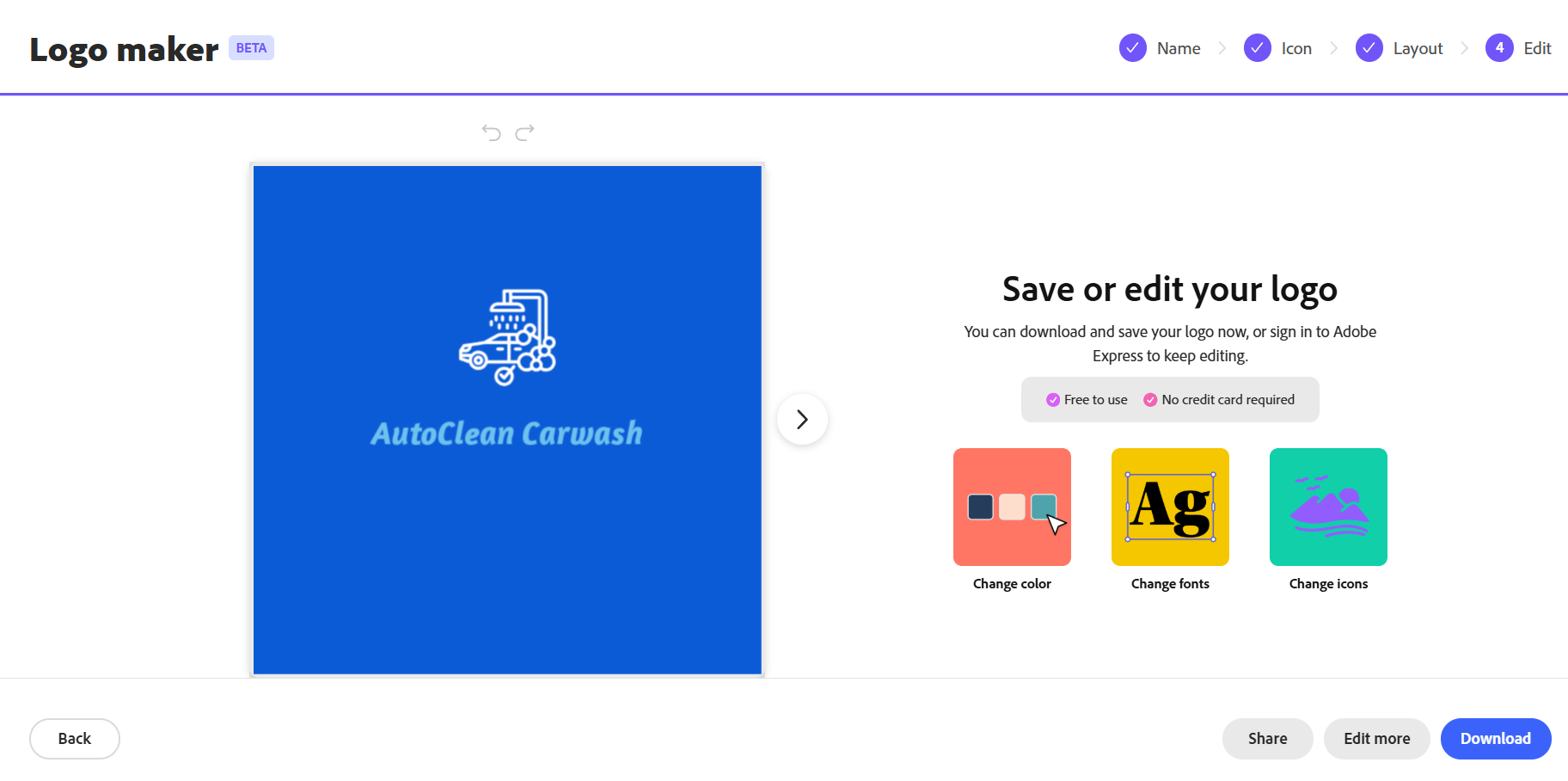
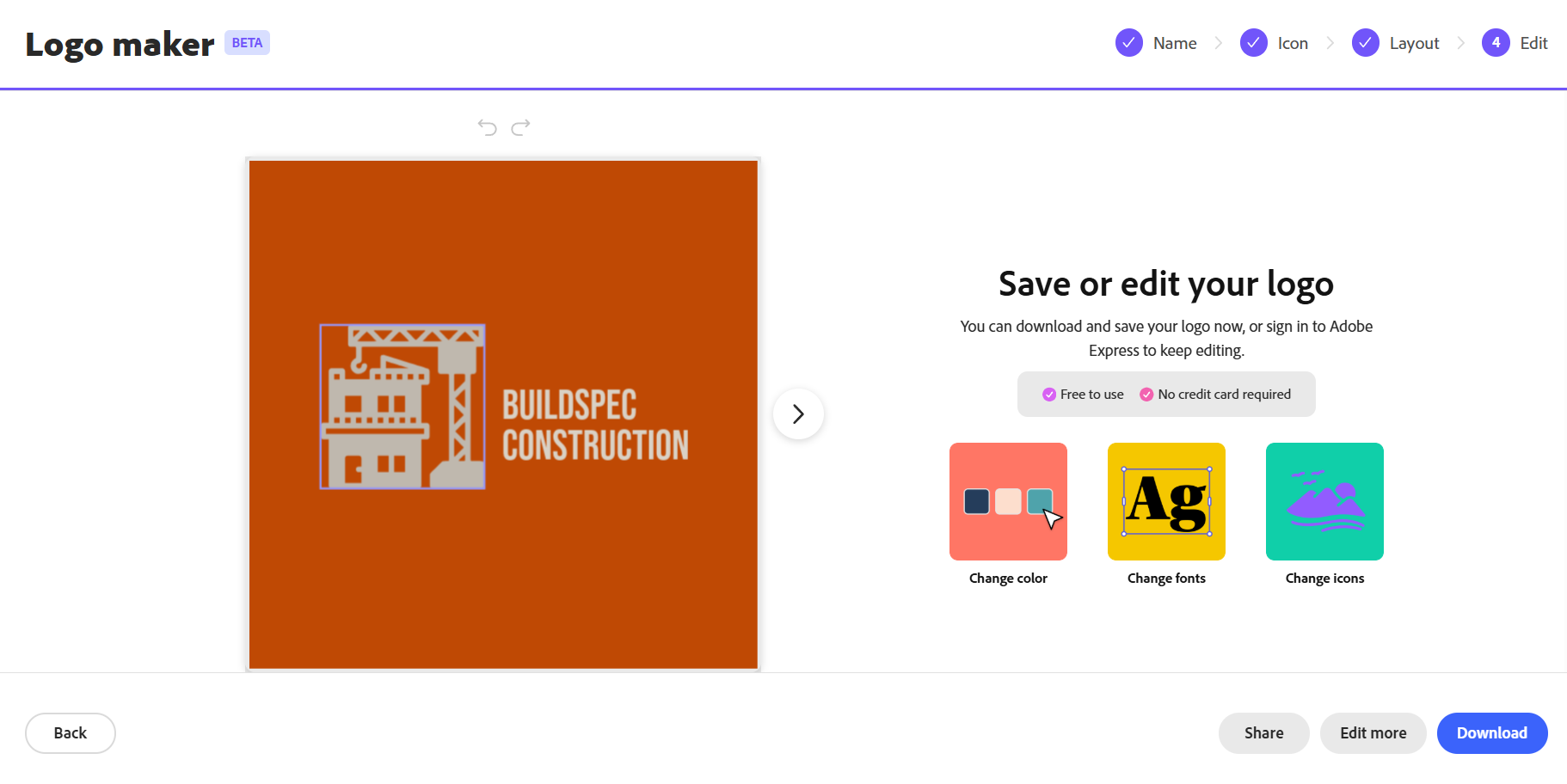
Adobe Express's Logo Maker uses a 4-step approach to creating a logo, but the process can feel tedious given the quantity and quality of results. While Design.com instantly generates thousands of well-designed logo options with your business name in seconds, Adobe Express displays only one logo at a time. The designs are underwhelming, typically showing generic icons arranged in different layouts rather than truly professional branding options. And if you skip adding an icon, you’ll get results irrelevant to your industry.
Industry: Cafe
Business Name: Seb’s Cafe
Results: 1 at a time
Quality: 3/10
Examples:
Industry: Car Wash
Business Name: AutoClean Carwash
Results: 1 at a time
Quality: 3/10
Examples:
Industry: Construction/Building
Business Name: BuildSpec Construction
Results: 1 at a time
Quality: 3/10
Examples:
Why we recommend Adobe Express:
The step-by-step wizard is perfect for beginners who want guidance through the creation process. Integration with Adobe Creative Cloud benefits businesses already using Adobe products. Animation capabilities set it apart, enabling the creation of modern, dynamic logos for video intros and social media. Adobe's reputation for professional design tools provides confidence in the platform's quality.
Why you might avoid Adobe Express:
Customization options are more limited compared to some competitors, and the overall logo quality may not meet professional standards for established businesses. The free version also includes watermarks on some exports, which is unprofessional for business use.
Vector file formats (SVG, EPS) are not available, even with the Premium plan. This limits scalability for professional printing and makes it unsuitable for businesses that require production-ready designs or high-quality output for their marketing materials.
Pricing:
Free Plan:
- 100,000 templates
- 1M+ Adobe Stock assets
- 4,000 fonts
- 5GB storage
- Includes watermarks on some exports
Premium Plan:
- $9.99/month or $99.99/year
- All templates
- 200M+ Adobe Stock assets
- 250 AI credits per month
- 100GB storage
- No watermarks
Verdict:
Adobe Express works best for users already invested in the Adobe ecosystem or those wanting quick logo concepts with brand backing. The guided wizard and animation capabilities are strong selling points. However, the lack of vector files is a critical limitation for serious business use. It's suitable for creating social media logos or quick branding concepts, but businesses needing professional, scalable logos should consider other platforms.
5. Wix - Best AI logo generator with a one-time payment
Wix Logo Maker leverages Wix's web design expertise to create a powerful AI logo creation tool. The platform combines intelligent design suggestions with a robust manual editor. It starts with an AI chat that asks about your business, style preferences, and design tastes.
Based on your answers, Wix generates over 130 logo options tailored to your specific responses. This differs from template-based tools in that it creates unique designs rather than displaying pre-made templates. From there, you enter a powerful editor to customize every aspect.
Key features:
- AI design that generates 130+ logo options based on your preferences
- Robust drag-and-drop editor for full customization
- Seamless Wix website integration
- Brand consistency tools for unified branding
- Multiple logo variations for different use cases
- Export formats include PNG, JPG, and SVG (Advanced plan only)
- Transparent background options
- One-time payment model (no subscription required)
- Preview logos for free before purchasing
Logo design quality
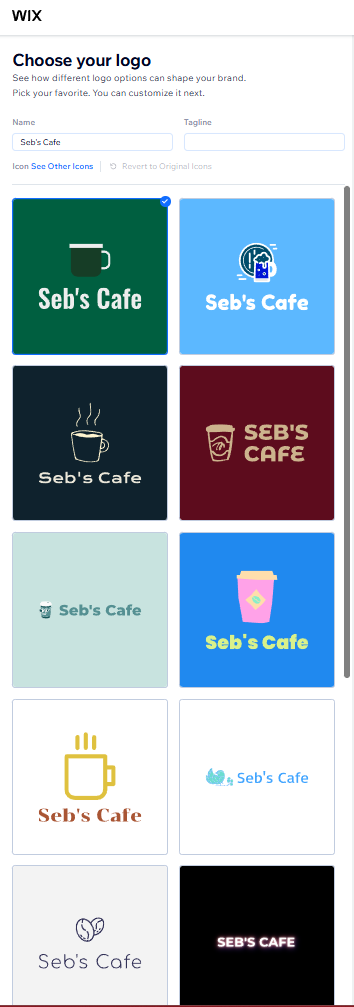
Wix offers two paths to creating a logo: an AI chatbot experience or a streamlined questionnaire that generates template selections based on your answers. While Wix's templates are more relevant and targeted than those from Adobe Express, the overall design quality still falls short of expectations for businesses seeking a polished, professional brand identity.
Industry: Cafe
Business Name: Seb’s Cafe
Results: 10+
Quality: 5/10
Examples:
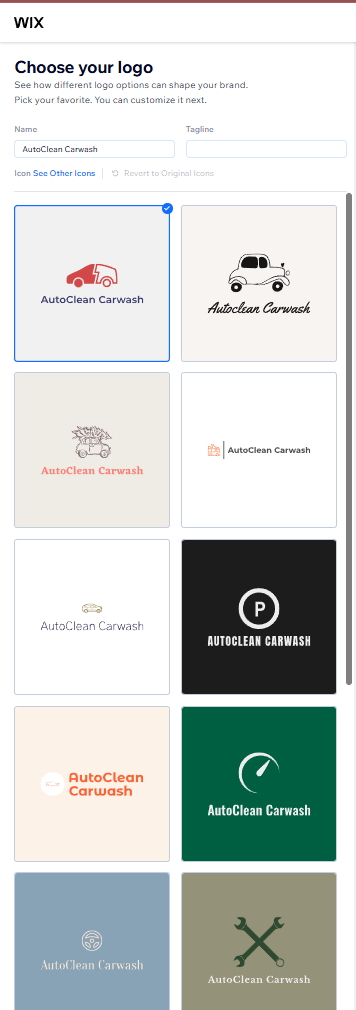
Industry: Car Wash
Business Name: AutoClean Carwash
Results: 10+
Quality: 5/10
Examples:
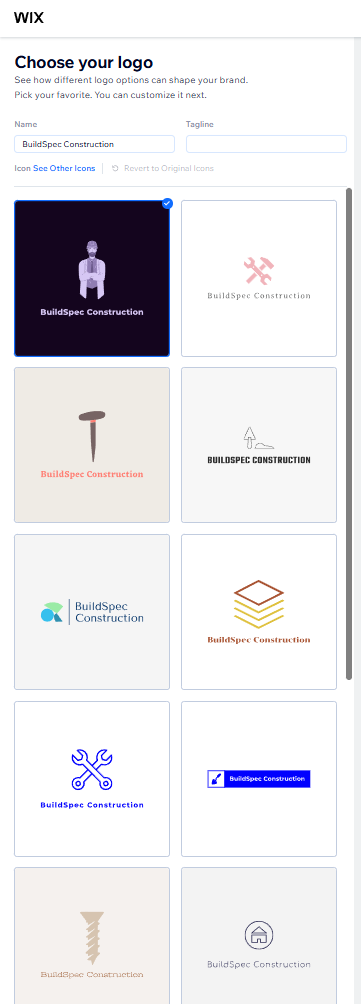
Industry: Construction/Building
Business Name: BuildSpec Construction
Results: 10+
Quality: 5/10
Examples:
Why we recommend Wix:
The AI creates personalized designs based on your specific inputs rather than showing generic templates. This offers a customized starting point tailored to your unique business needs. The powerful yet user-friendly editor offers extensive customization without overwhelming complexity. For businesses building websites with Wix, the seamless integration ensures perfect brand consistency across your entire online presence. You can preview logos for free before purchasing, removing purchase risk.
Why you might avoid Wix:
The platform requires payment to download any logo, so it's not truly free. The one-time payment structure means you cannot make edits later without purchasing again. This can become costly if you want to refine your design over time. At around $50 for the Advanced plan with vector files, the upfront cost is higher than monthly subscriptions from competitors. The initial AI suggestions can sometimes be generic or miss the mark, requiring significant manual editing.
Pricing:
Free Demo:
- Preview logos before purchasing
- No download capability
Basic Plan:
- $20 one-time payment
- Basic logo files (PNG, JPG)
- No vector files
Advanced Plan:
- $50 one-time payment
- High-resolution files
- Vector files (SVG)
- Transparent backgrounds
Note: One-time payments don't include future edits. Additional purchases are required for changes.
Verdict:
Wix Logo Maker suits small to medium-sized businesses that want AI-generated, personalized designs with creative freedom. The personalized AI options provide better starting points than generic templates. It's particularly valuable for Wix website users who benefit from seamless integration. However, the lack of future editing capabilities is a significant drawback compared to subscription-based platforms offering unlimited changes.
Find Your Perfect Logo Generator Today
Creating a professional logo has never been more accessible. Whether you need a quick AI-generated design, a vast template library, or an all-in-one platform for marketing content, there's a tool that fits your budget and skill level. The key is matching your specific needs with the right platform and considering factors like file formats, editing flexibility, and pricing structure.
If you prefer working with custom designers rather than AI tools or templates, DesignCrowd offers an entirely different approach. This crowdsourcing platform connects you with freelance designers worldwide who compete to create custom designs tailored to your brief. You can receive dozens of original concepts within hours and get full copyright ownership of your winning design, along with all editable files.
Your logo is the face of your brand, so take your time, explore your options, and create something worth remembering.
Read more on branding and design here:
FAQs About Logo Generators
1. What are the best free logo generators for small businesses?
For completely free options, tools like Design.com and BrandCrowd offer an extensive library of logo and design templates in multiple file formats (.png, .jpg, .svg, .eps, .pdf, .gif, and .mp4) at no cost. For access to advanced features, both platforms also offer the most affordable premium plans, starting at around $5 to $6/month (billed annually), making them ideal choices for small businesses seeking professional quality designs.
2. How do I choose the right logo generator for my business?
Consider your specific needs and budget. If you're looking for a quick and affordable solution, AI-powered tools like Design.com or BrandCrowd are a good option. If you need an all-in-one design platform for ongoing marketing content, Canva is a strong choice. For personalized AI-generated designs with a one-time payment, Wix Logo Maker is worth exploring. If you prefer custom designs from human designers, DesignCrowd connects you with freelancers worldwide.
3. What file formats do I need for my business logo?
At a minimum, you need a PNG with a transparent background for digital use. Professional businesses should also get vector files (SVG, EPS, PDF) that scale infinitely without quality loss. These are essential for print materials, such as business cards, signage, and merchandise. Animated formats (GIF, MP4) are valuable for creating video intros and sharing on social media. Design.com and BrandCrowd provide all these formats.
4. Can I create a professional logo without design experience?
Modern logo generators are explicitly designed for non-designers. AI tools from Design.com, BrandCrowd, and Wix generate professional designs based on your preferences, eliminating the need for design knowledge. You just need to customize colors, fonts, and text to match your brand. Meanwhile, platforms like Canva and Adobe Express use intuitive drag-and-drop interfaces and guided wizards.
5. How much should I budget for a professional logo?
Hiring a professional designer typically costs between $300 and $5,000, depending on their experience. Logo generators offer professional results at a fraction of that cost. Free options are available, including completely free offerings from platforms like Design.com and BrandCrowd. For access to advanced features, budget $5 to $15 per month.
6. What should I consider when designing my logo?
Focus on simplicity, as the best logos are easy to recognize and remember. Choose colors that reflect your brand personality and industry. Ensure your logo appears visually appealing at any size, from a small favicon to a large banner. Test it in both color and black-and-white versions. Finally, avoid trendy designs that may look dated in a few years and aim for something timeless.
7. How long does it take to create a logo with a logo generator?
With modern logo generators, you can create a professional logo in 5 to 30 minutes. AI-guided tools can generate options in under 10 minutes. Extensive customization typically takes between 30 minutes and a few hours. Design.com and BrandCrowd stand out for their speed, allowing you to browse their massive libraries and finalize designs faster than most competitors.
8. Can I edit my logo after creating it?
This depends on your platform. Design.com and BrandCrowd include unlimited edits with their subscriptions, allowing you to refine your logo at any time. Canva Pro also allows ongoing edits. However, Wix Logo Maker requires purchasing again for future edits. Adobe Express Premium lets you edit as long as you maintain your subscription. Always check the edit policy before choosing, especially if you anticipate needing changes.
Hannah Suroy suroy brings clarity to complex topics across entertainment, business, and creative industries. She specializes in translating industry trends and innovations into engaging content that helps readers understand the creative process behind the work they love.
Header Image by Selwyn Legaspi
Written by DesignCrowd on Wednesday, December 10, 2025
DesignCrowd is an online marketplace providing logo, website, print and graphic design services by providing access to freelance graphic designers and design studios around the world.
